Payroll Manuals & Knowledge Base - Client Rules, Deadlines & Processes in One Place
Keep all your complex payroll information in one trusted, easy-to-access place - so your team and customers are always aligned and up to date.
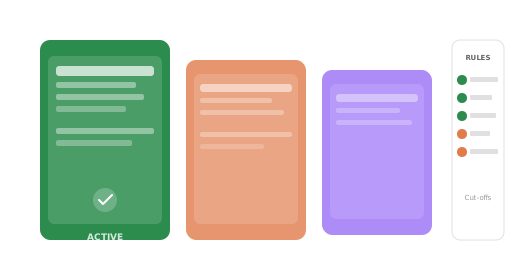
Store the rules that make each payroll unique
Pension arrangements, overtime policies, bonus structures - every client has their ownset of payroll rules.
Changepen gives each client their own manual so your team always has the right information to hand, without asking the client again.
Critical deadlines documented alongside the payroll rules
Cut-off dates, edit windows, sign-off deadlines, completion targets - all recorded per client in their payroll manual.
Your team knows exactly when things need to happen, and clients know what’s expected of them and when.
A shared resource your whole team can rely on
When everyone on the team has access to the same up-to-date payroll manual, covering work doesn’t mean starting from scratch.
A new team member can pick up a client payroll without a handover call. That’s the kind of resilience that lets you scale.
Your disaster-recovery partner
Turn Changepen into your go-to solution for contingency and disaster recovery.
With all payroll rules, deadlines, and details stored centrally, any team member can step in and run a client’s payroll smoothly - even at short notice.
Explore more great features:

Centralised Payroll Documentation
Document even the most complex payrolls in one structured, always-up-to-date place your whole team can trust.
Read more
All Contacts, One Place
Maintain a clean, current list of client contacts that your whole team can rely on.
Read more
Built to Work With You
Secure APIs connect Changepen to your existing payroll systems, so you can modernise without rebuilding your process.
Read more
Centralised Document Storage
Keep all payroll files in one secure place - no more email attachments or version mix-ups.
Read more
A Platform That Looks Like You
Style Changepen to reflect your brand - so clients feel like they’re engaging with your firm, not a third party.
Read more
Every Task. Every Owner. All in One Place.
Ditch external tools - track all payroll-related tasks with live updates, deadlines, and team visibility.
Read more
Know Your Clients Better
Access granular reporting to track effort, spot issues early, and plan for growth confidently.

Structured Teams, Flexible Roles
Create user profiles tailored to your team’s needs - securely hosted in the cloud for easy access anywhere.

Email That Works for Payroll Compliance
Embedded messaging keeps conversations organised, secure, and fully auditable.
Payroll manuals: FAQ
What is a payroll manual?
A payroll manual documents the rules, deadlines and processes that make each payroll unique, in one structured, always-up-to-date place the whole team can rely on. It is part of payroll operations management.
Why do payroll bureaus need payroll manuals?
Payroll knowledge often lives in one person’s head. Documenting each payroll’s rules and deadlines keeps the service consistent and resilient if someone is away or leaves, reducing key-person risk.
How are payroll manuals kept up to date?
In Changepen, payroll documentation lives alongside the live payroll operation, so the rules and deadlines are maintained in one shared, current place rather than scattered documents.
Ready to transform your payroll operations?
Book a demo with the Changepen team to see how the platform can reduce admin, cut errors and strengthen your client relationships.
Speak to a payroll expert